ID photos at home,
sized to the rules.
Pick a size and shoot. Pasupo checks head size and position, the wall and the light while you shoot, then crops the photo to the size's rules. Your photos never leave your iPhone.
 Make and preview every size for free
Pasupo is an iPhone app for ID photos: passports, US visas, Korean ID cards and driver's licenses, Japanese My Number Cards and residence cards, and résumé photos, cropped to each size's rules. While you shoot, Pasupo checks head size and position, wall brightness, shadows on the face, facing front with eyes open, and glare on glasses in real time. For official ID sizes Pasupo doesn't replace the background or retouch the skin; it crops the photo as taken. Résumé photos can get a white, light gray or light blue background. Photos are processed on the iPhone and never uploaded. Every size can be made and previewed for free (saved images carry a SAMPLE watermark), and Unlock All is a one-time purchase of $2.99. The issuing authority makes the final decision on the photo.
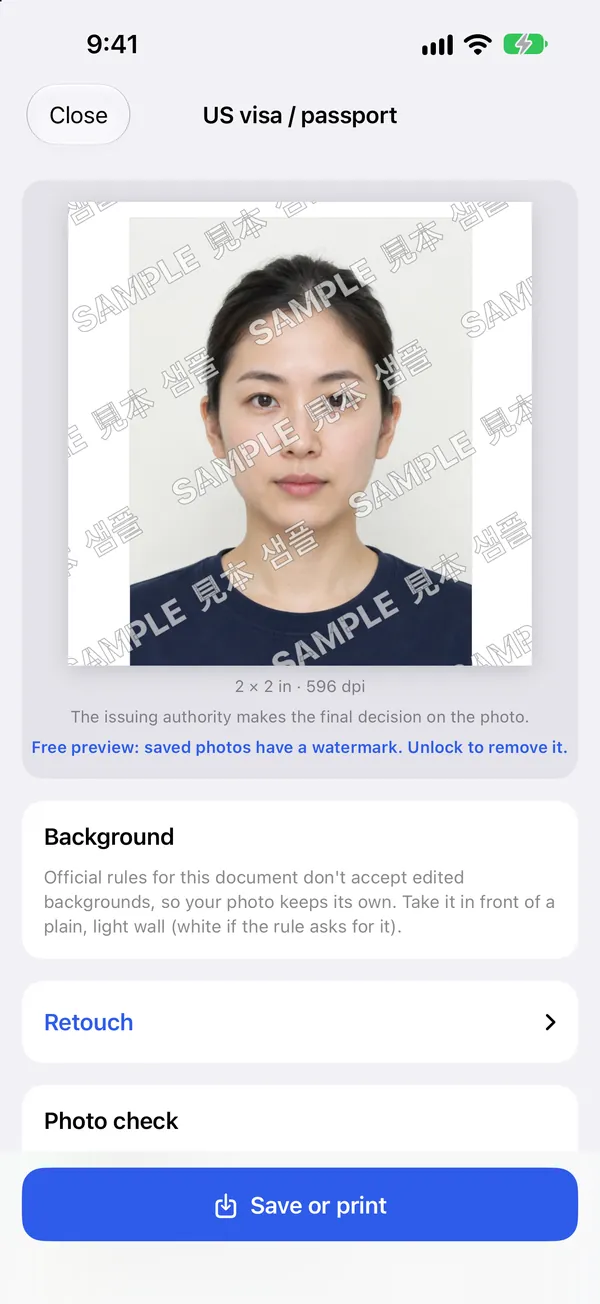
Passport too, 2×2 in
Passport, My Number Card, license
Passport, ID card, license
4×6 and L size
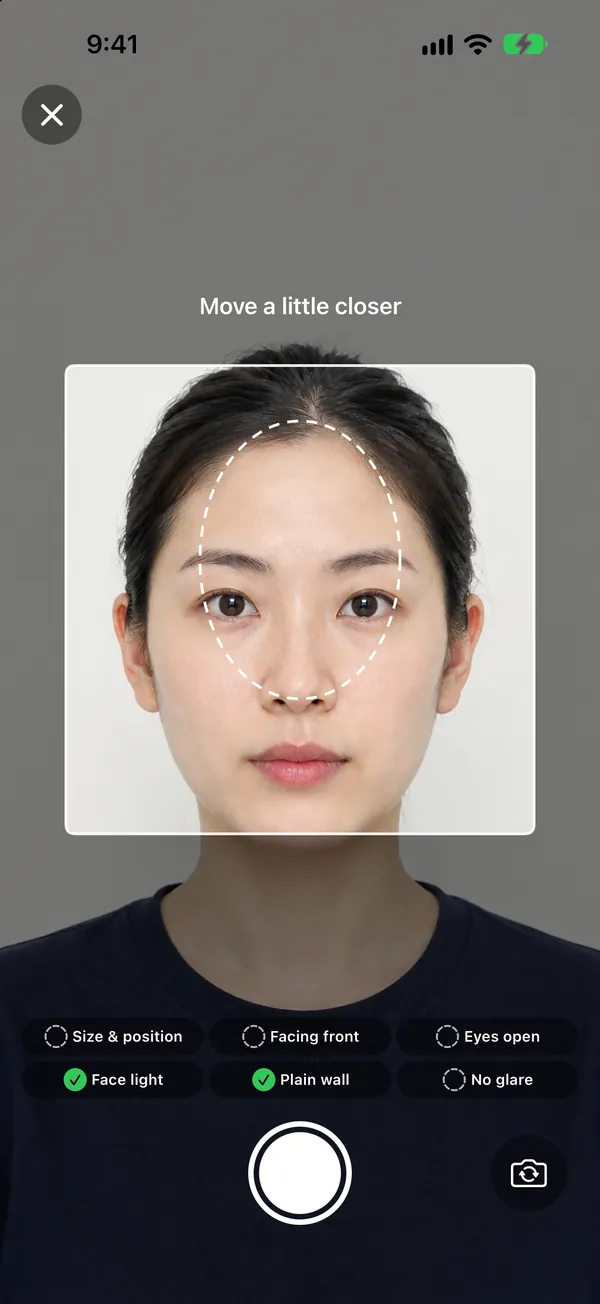
Checked while
you shoot
Head size and position, a light and even wall, shadows on the face, facing front with eyes open, glare on glasses: each check shows on the camera screen and turns green when it passes.
- Automatic crop that fits head size and position to each size's rules
- The checks are hints: the shutter always works
Official IDs,
unedited
Passport, ID card, license and residence card rules don't accept photos with edited backgrounds or retouched skin. For those sizes the app doesn't replace the background or smooth the skin: it crops your real photo to the rules.
- Shoot in front of a plain, light wall, and the app checks the background and the lighting
- Saved at the resolution online applications ask for
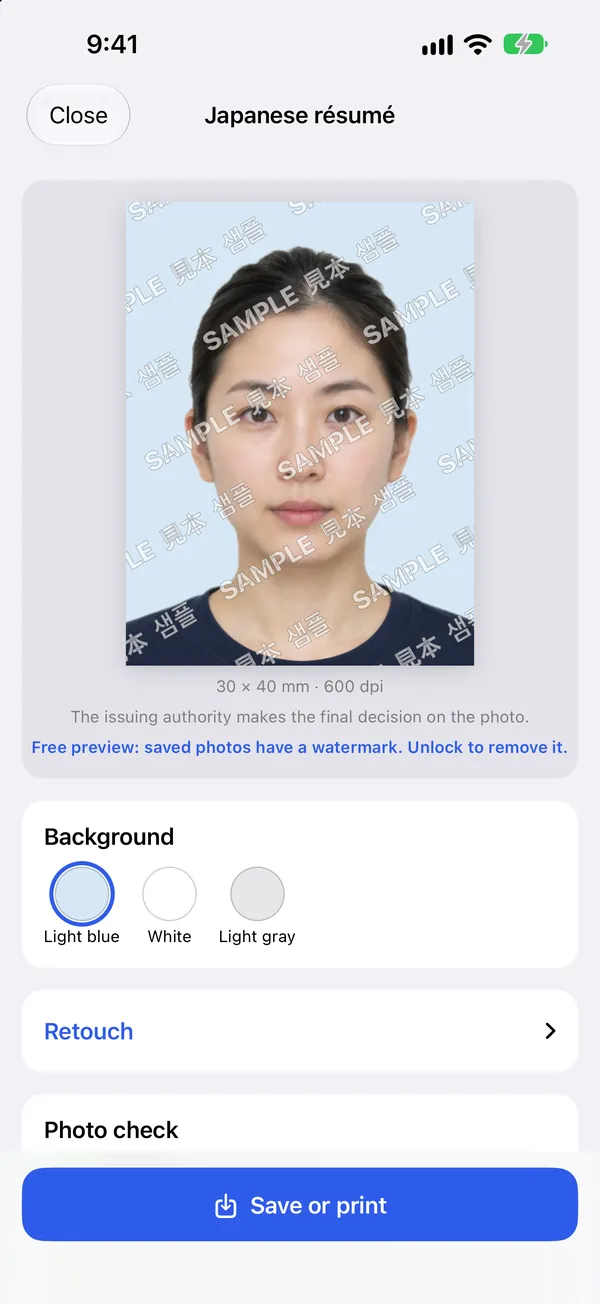
Résumé photos with
a clean background
For résumé and custom sizes, swap the background for white, light gray or light blue, and add a gentle skin retouch.
- After the shot: head size, background, head level and even lighting, checked automatically
- Reminders for each size before you submit: taken within 6 months, glasses, head coverings
Several copies
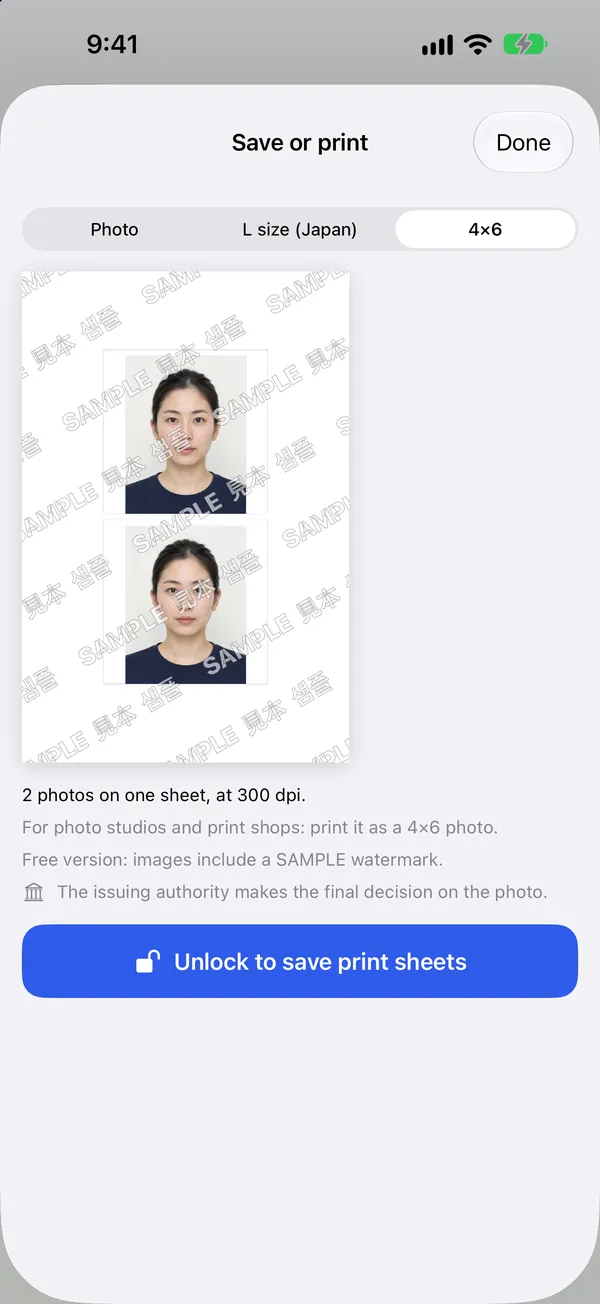
on one sheet
Lay out the same photo several times on a 4×6 sheet for photo studios, or on an L-size sheet for convenience-store printing in Japan.
- Print sheets come with Unlock All
Three steps, that's it
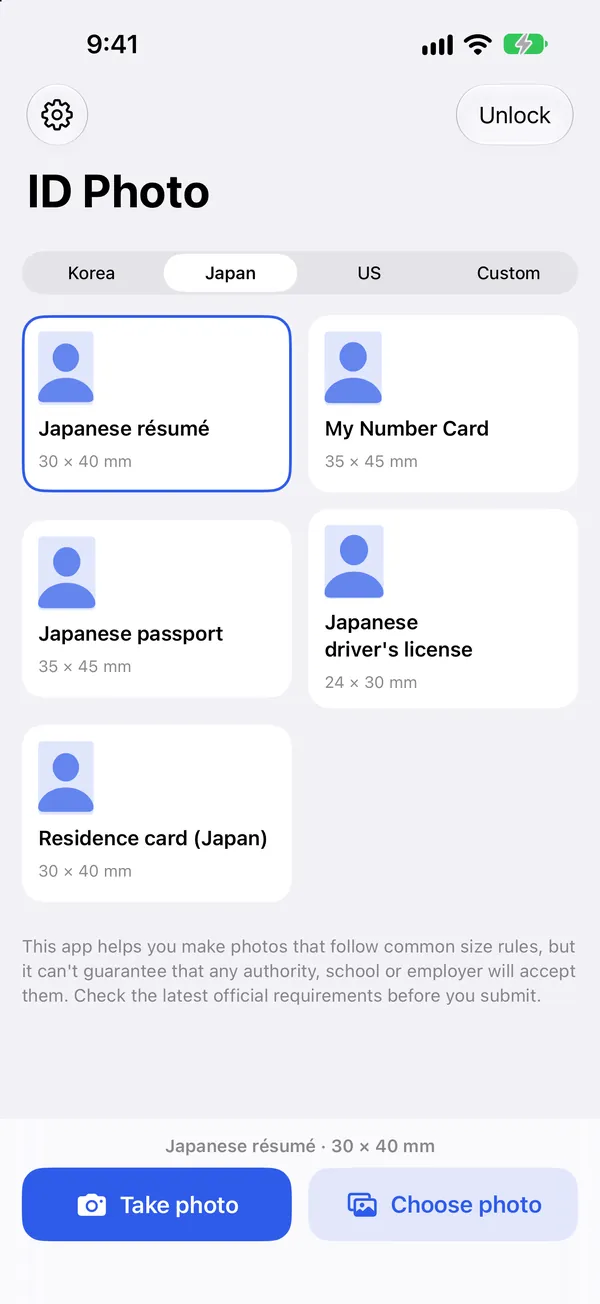
Pick a size
Korea, Japan, US, or a custom size.
Take or choose a photo
Use the camera or choose a photo. Live checks help while you shoot.
Save or print
Save or share a single photo or a print sheet.
Your photos never
leave your phone
Pasupo does face detection, background work and cropping on your iPhone. It doesn't upload your photos, and it has no account, no ads and no tracking.
Apple's Vision and Core Image, on your iPhone.
From version 1.2 the app counts how often the purchase screen is shown and a purchase is made, as daily totals only. No account, device ID, IP address or photo. App Store privacy label: Usage Data (Product Interaction) — not linked to you, no tracking.
Pasupo asks for the camera only when you tap Take photo.
Finished photos are added to your library. Pasupo never reads it.
Try every size free.
Pay once to save.
Make and preview every size for free. To save without the watermark, you pay once.
Free
- Live checks and automatic crop
- Photo check and reminders before you submit
- Saved images carry a SAMPLE watermark
Unlock All
- Save without the watermark
- Print sheets (4×6 and L size)
- Custom sizes (15–80 mm)
Prices may vary by country. Restore Purchases is in the app's Settings and on the purchase screen.
Common questions
Will the office accept my photo?
The app helps you make photos that follow common size rules; the issuing authority makes the final decision on the photo. Check the latest official requirements before you submit.
Can I change the background of a passport photo?
No. Passport, ID card, license and residence card rules don't accept photos with edited backgrounds or retouched skin, so for those sizes the app crops the photo as taken. Shoot in front of a plain, light wall; the app checks the background for you.
Which sizes are supported?
US visa and passport (2×2 in); Japan: passport and My Number Card (35×45 mm), driver's license (24×30 mm), residence card and résumé (30×40 mm); Korea: passport, resident card and driver's license (3.5×4.5 cm), half-size (3×4 cm) and card size (5×7 cm); and custom sizes from 15 to 80 mm with Unlock All.
Are my photos sent to a server?
No. Face detection, background and cropping all happen on your iPhone, and photos are never sent. No account needed.
What can I do for free?
Make and preview every size. Saved images carry a SAMPLE watermark.
Is Unlock All a subscription?
No. It's a one-time purchase of $2.99. It removes the watermark and adds print sheets and custom sizes.
How do I print my photos?
In Save or print, save a print sheet to Photos (4×6, or L size in Japan) and print it as a photo at a photo studio, convenience store or online service. Print sheets come with Unlock All.
Which iPhones does Pasupo support?
Any iPhone running iOS 17 or later. The app is available in English, Korean and Japanese.
How do I get a refund?
Apple handles every payment, so refunds are requested from Apple. Choose the purchase at reportaproblem.apple.com; Apple decides whether to refund it.
Learn more
ID photos with Pasupo
Get it on the App Store.